What Good Website Design Looks Like: 9 Lessons from Norfolk Businesses
What makes good website design for a Norfolk business? Nine lessons from real local websites we have built, from the first screen and real photos to prices, town pages and phones, with a checklist to test your own site.
 By Webfreezee 10 min read
Good website design isn't about the latest effects or a clever logo animation. For a business in Norfolk, it means one thing: a local customer lands on your site, understands what you do and where you work, trusts you, and gets in touch. Everything on the page should help with that, and anything that doesn't should go.
That sounds simple, but most small business websites get at least one part of it wrong. So rather than talk in theory, this guide shows what good website design looks like using real websites we've built for businesses across Norfolk, with screenshots from the live sites. Use it as a checklist for your own site, or for briefing whoever designs it.
1. The first screen answers three questions
Someone who has just found you on Google is deciding, within seconds, whether to stay. Before they scroll, they want to know: do you do what I need, do you cover my area, and how do I get in touch?
Premier Doors, a door fitter covering Norfolk and Suffolk, answers all three in its headline: "Internal and external doors, fitted properly, across Norfolk and Suffolk". A quote button and a call button sit right underneath, and the photo is a real door the team fitted, not a stock image.
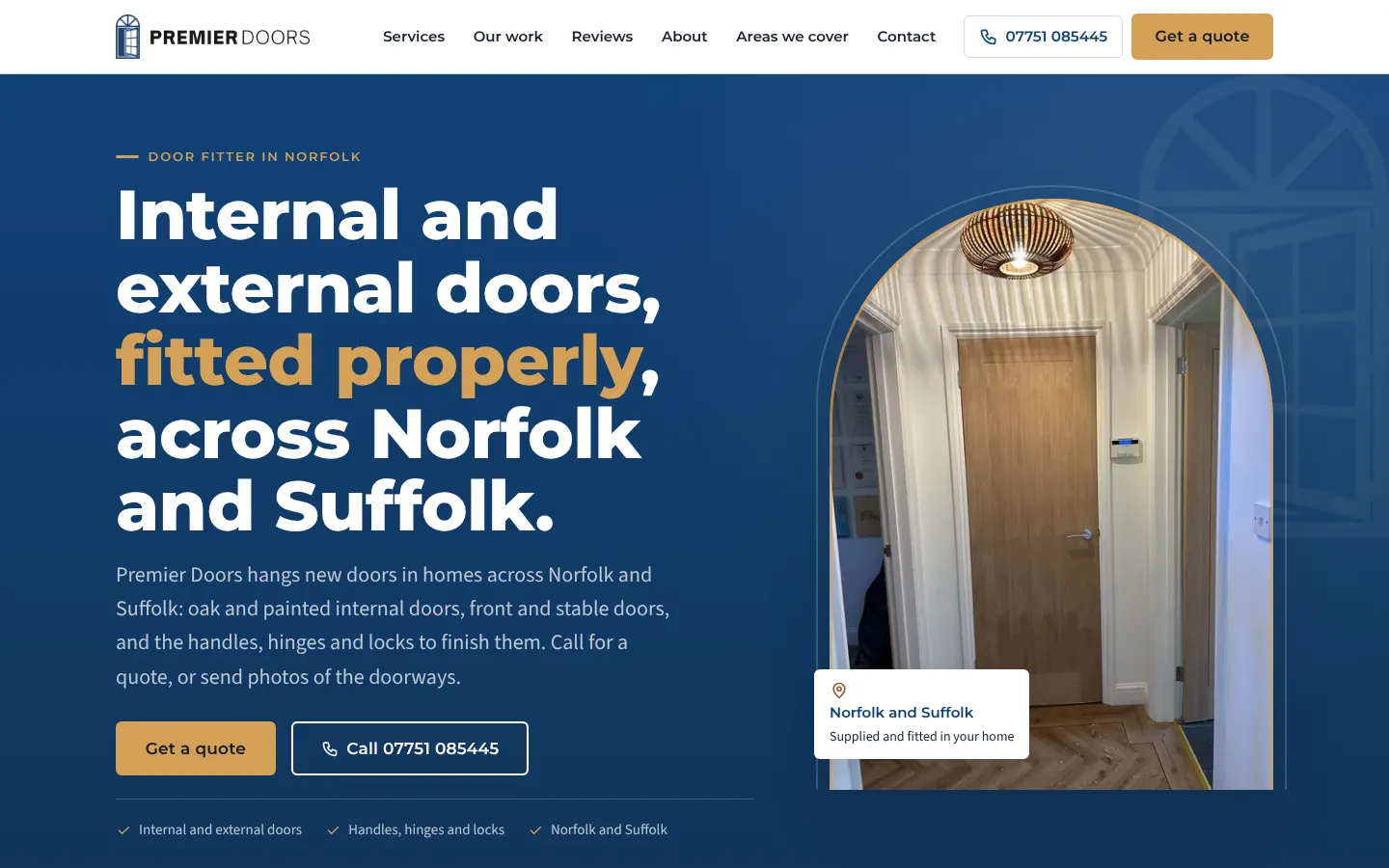
The service, the area and two ways to get in touch, all before the first scroll.
Compare that with a headline like "Quality you can trust". It could belong to any business in any county, so it tells the visitor nothing and gives Google nothing to work with either.
What to check on your site: cover everything below the top of your homepage on a phone. Can you still tell what the business does, where, and how to contact it?
2. Real photos of your own work
Stock photos are easy to spot, and they quietly tell visitors you have nothing of your own to show. Your own photos, even ones taken on a phone, do the opposite. They prove the work is real.
Squeak-E-Clean, a window and gutter cleaner just south of Norwich, takes this further with a before-and-after slider built from real jobs on its rounds. Visitors drag the squeegee handle across the photo and watch a grimy window and mossy sill wipe clean.
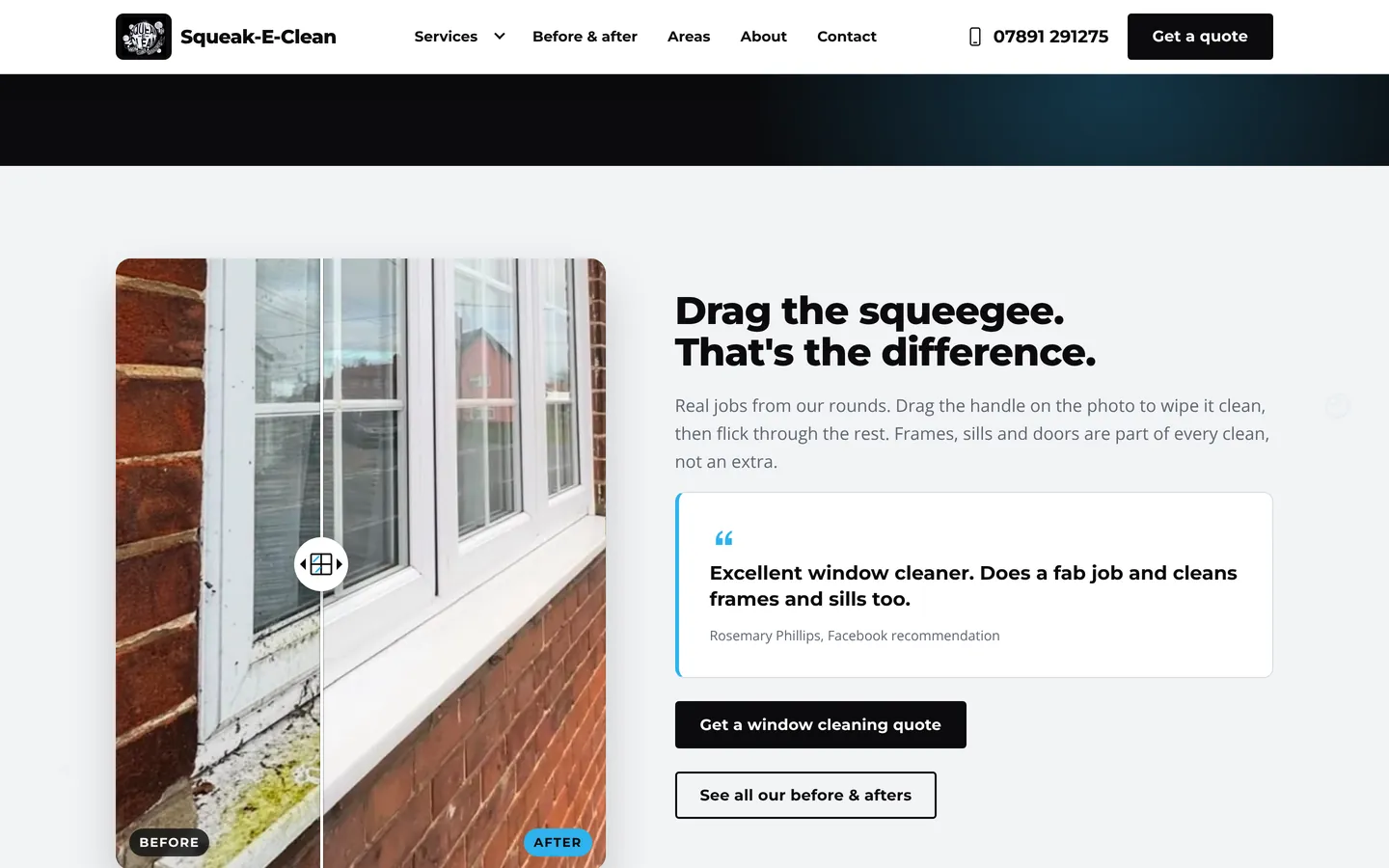
Real jobs from real rounds, shown in a way visitors want to play with.
Good website design gives your best photos room to breathe and labels them clearly, such as "oak internal door with brass handles" rather than "IMG_2041". Clear labels help visitors, and they help search engines understand what the image shows.
3. Prices, or an honest explanation of them
Many people won't ask for a quote when they have no idea what something might cost. They assume it's expensive and move on to a business that gives them a number.
Iceni Siam, a Muay Thai gym in Hellesdon, Norwich, puts all four of its prices side by side on the homepage: £7 a session, £60 a month, £45 a month for juniors and £35 for an hour of personal training. No small print, no "contact us for prices".
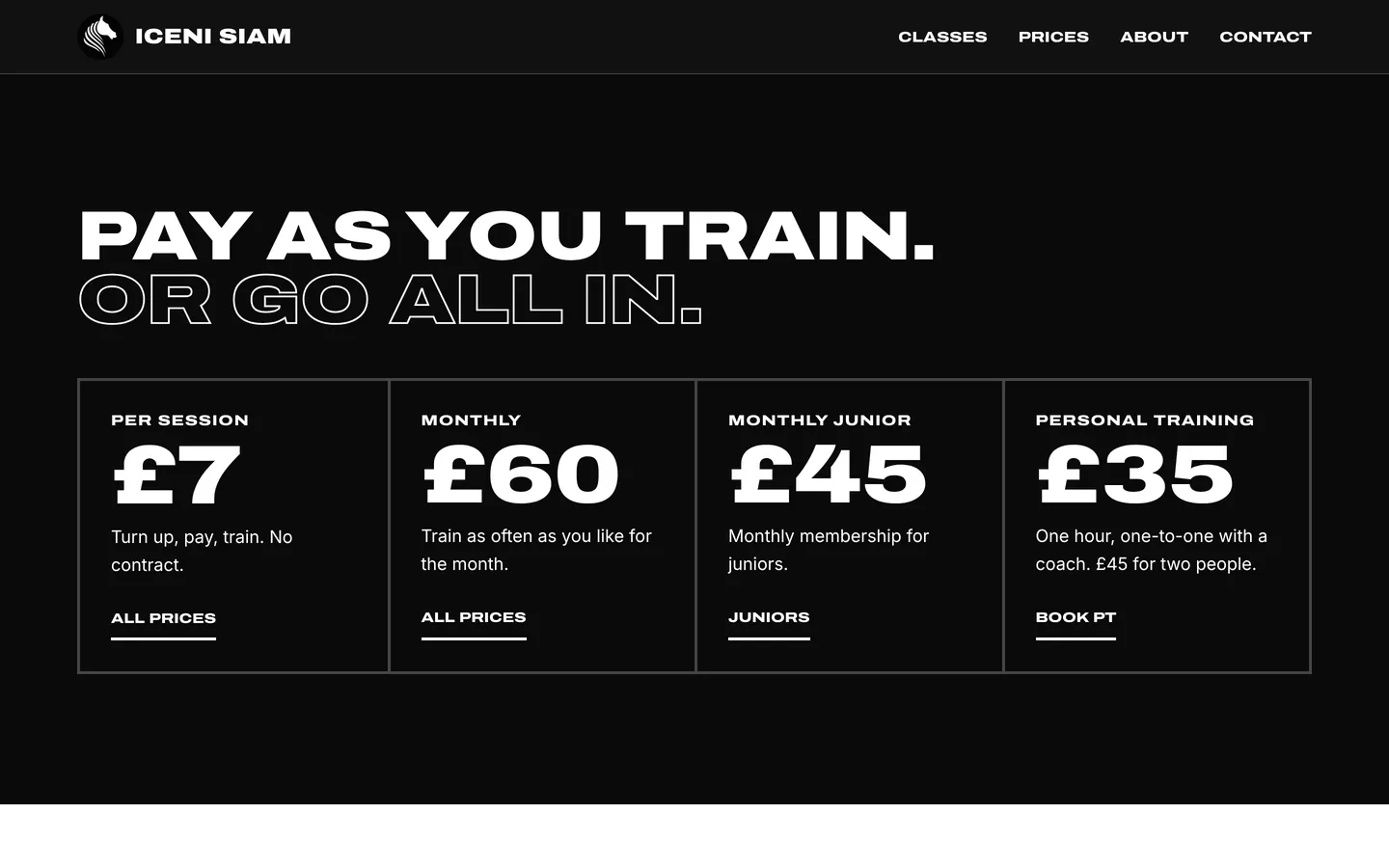
Clear prices remove the biggest reason not to get in touch.
Not every business can publish a fixed price. Door fitting, for example, is priced job by job. In that case, good design explains what moves the price instead. Premier Doors lists the things that change a quote, such as the number of doors, internal or external, and whether frames need replacing, so customers know what to expect before they ask. Squeak-E-Clean gives a starting price for each service, from £15 for window cleaning.
4. A clear path for each type of customer
A good website doesn't make everyone read the same long page. It works out what different visitors came for and sends each of them the right way.
Premier Doors asks visitors to pick their door: internal doors, external and stable doors, or handles, hinges and locks. Each choice has its own page explaining what's included. There's also a fourth option for anyone who isn't sure, so nobody gets stuck.
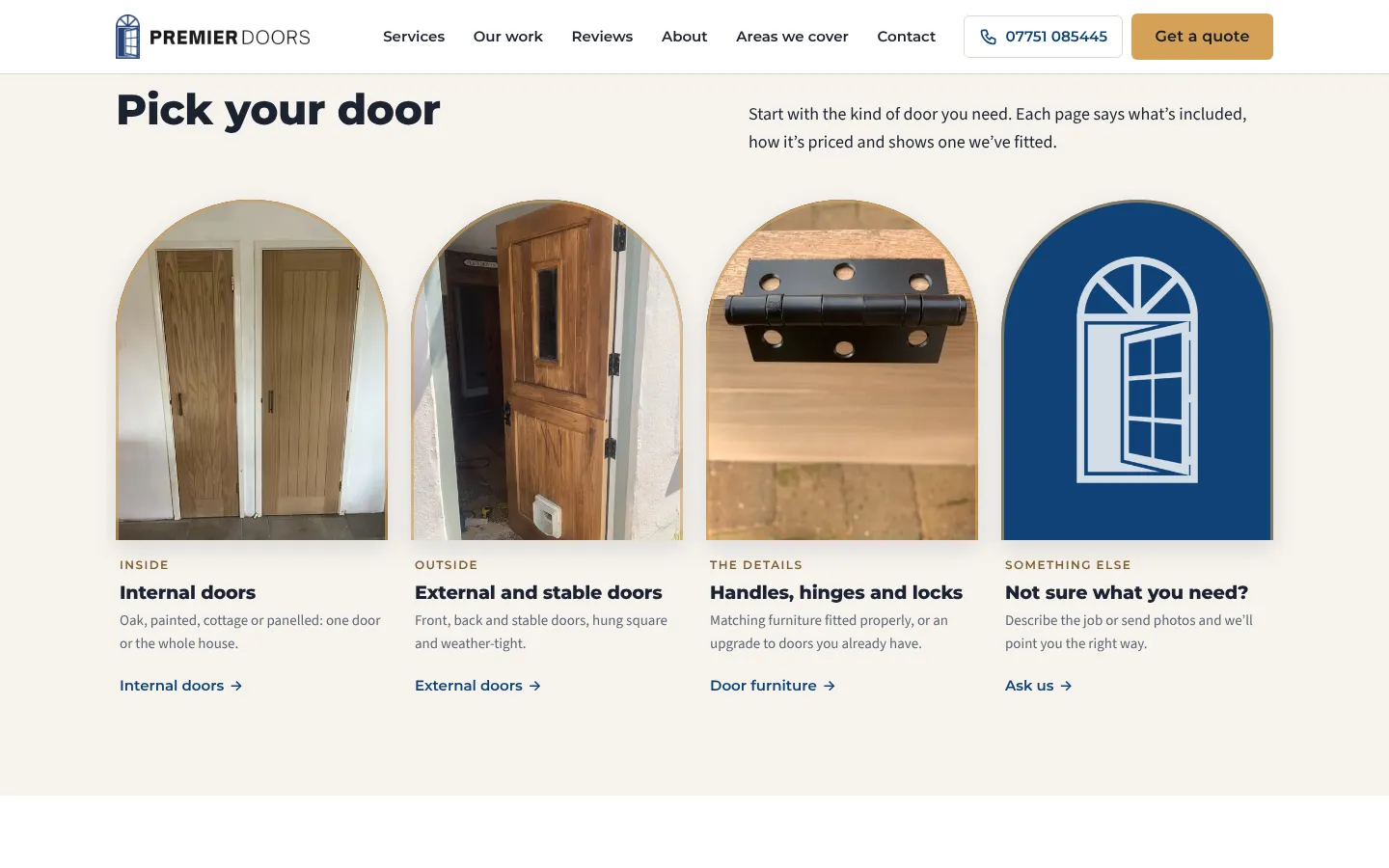
Three services and a "not sure" option, each with a real photo.
Separate service pages are good for search too. A page about stable doors can answer a search for stable doors far better than a single page that mentions everything.
5. Make the first message easy to send
Most local enquiries now start on a phone. Typing out a long description of a job on a small screen is exactly where people give up, so the best websites make that first message as short as possible.
Norfolk Pallets, a pallet wholesaler in Hevingham near Norwich, uses a picker with three quick questions: what are you after, where do you sell, and collection or delivery. As the buyer taps, a WhatsApp message writes itself, ready to send.
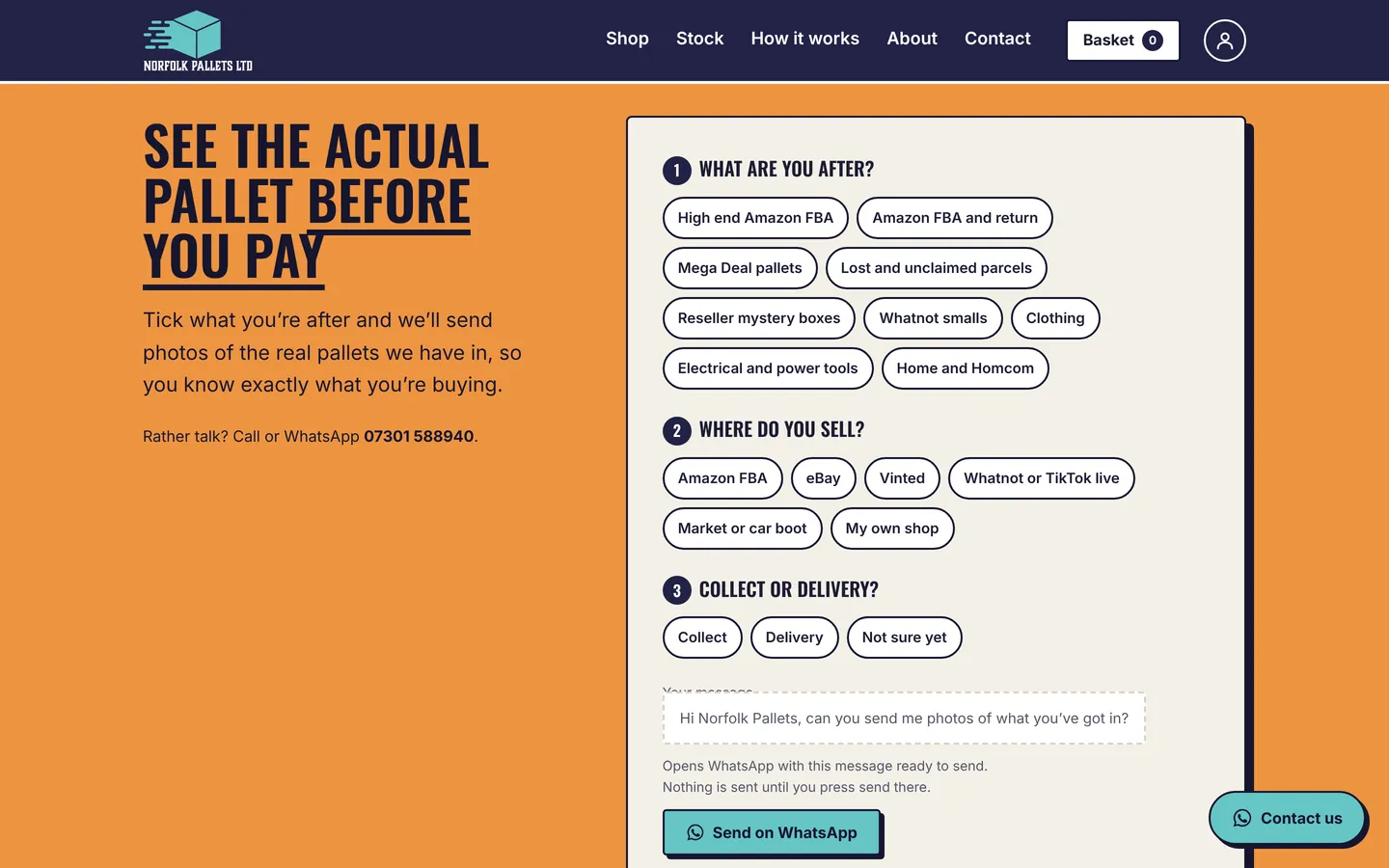
Three taps, and the business gets an enquiry it can answer straight away.
On every page, the essentials should be one tap away: a call button that dials the number, a WhatsApp or message option, and a short enquiry form that only asks for what you genuinely need.
6. Pages for the places you really cover
People search for "window cleaner Wymondham" or "Muay Thai near Sprowston", not "services across East Anglia". If you only mention "Norfolk", you're relying on Google to guess which towns you work in.
Iceni Siam has a page for each place its members travel from, including Hellesdon, Old Catton, Sprowston, Taverham and Drayton, and Costessey. Each one explains how to get to the gym from there, with the timetable, prices and local questions answered.
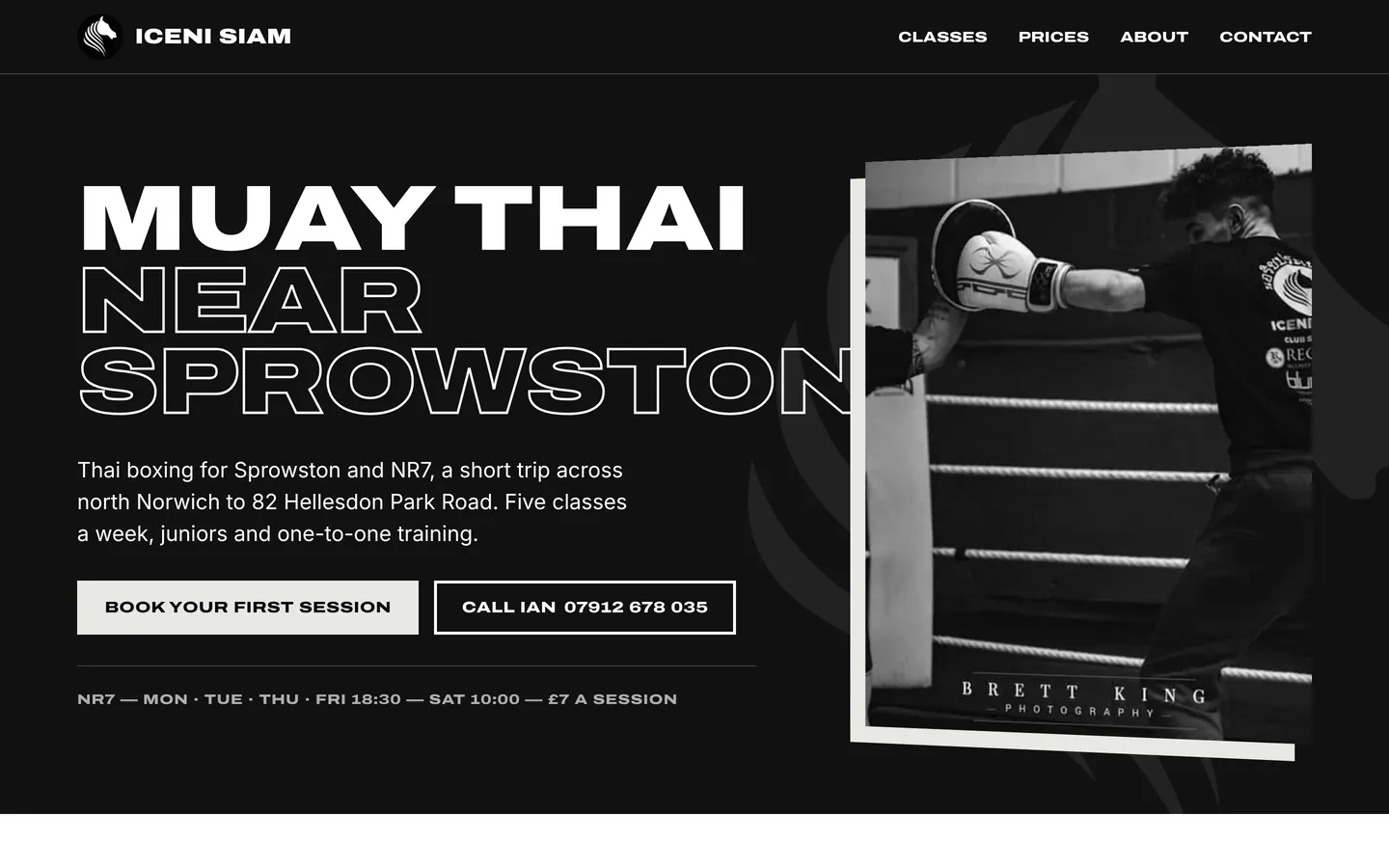
Each local page answers how far it is and how to get there.
The important word here is useful. A town page that just swaps one place name for another is thin content, and Google is good at spotting it. Write about the town: the kind of homes there, how far it is from you, and the jobs you've done nearby. If you can't say something genuine about a place, leave it in a list of areas covered instead.
Squeak-E-Clean shows another way to do it: a simple map with a ring around the area it covers, from Norwich and Wymondham down to Diss, Harleston, Bungay and Beccles.
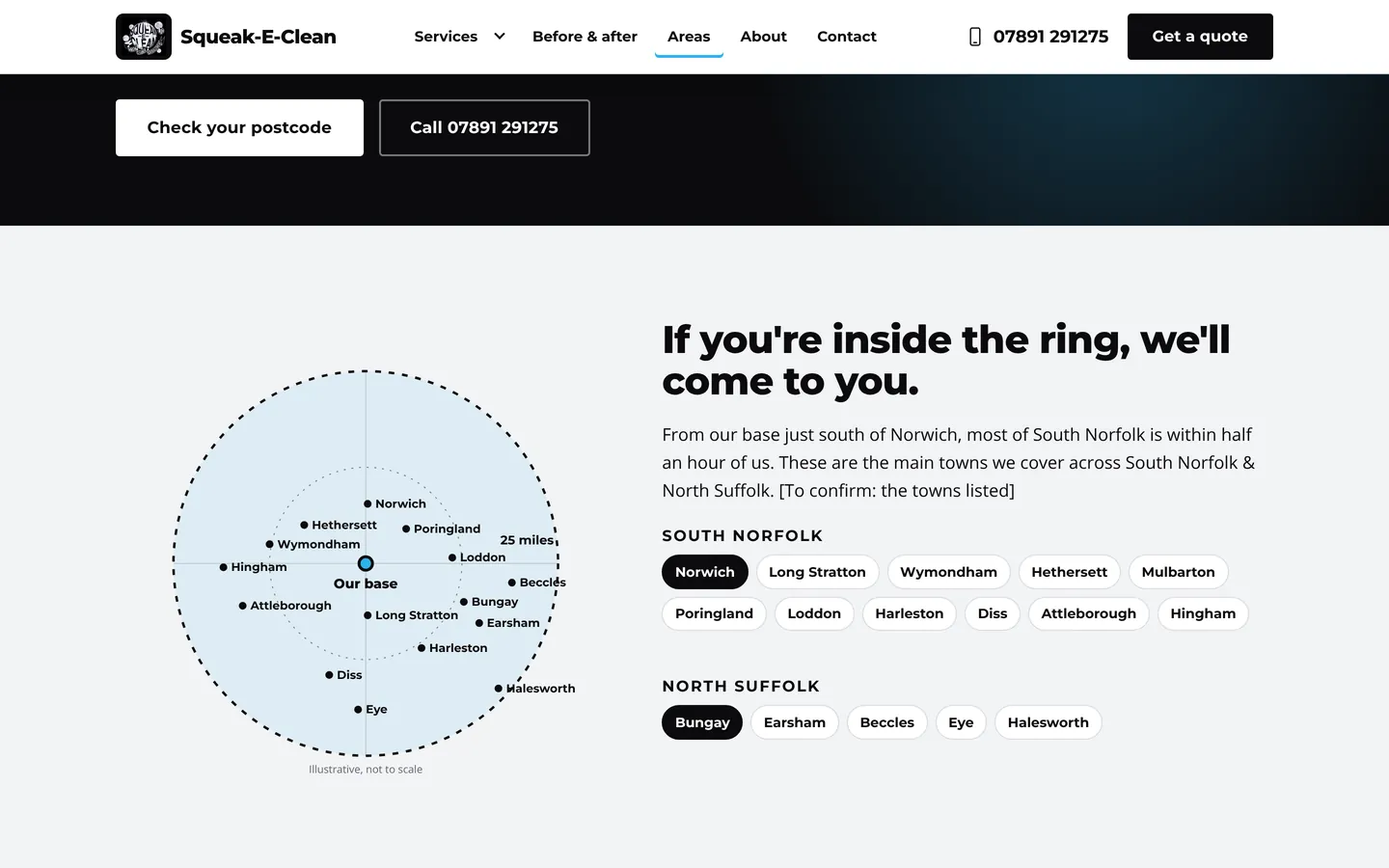
If you're inside the ring, they'll come to you.
7. Real reviews and real people
Letting someone into your home, or handing over money to a business you've never used, takes trust. Good website design earns it with proof rather than claims.
That means real reviews, quoted word for word, with a link to where they were written. Premier Doors puts every Google review on its own page, and its customers name the fitters who did the work.
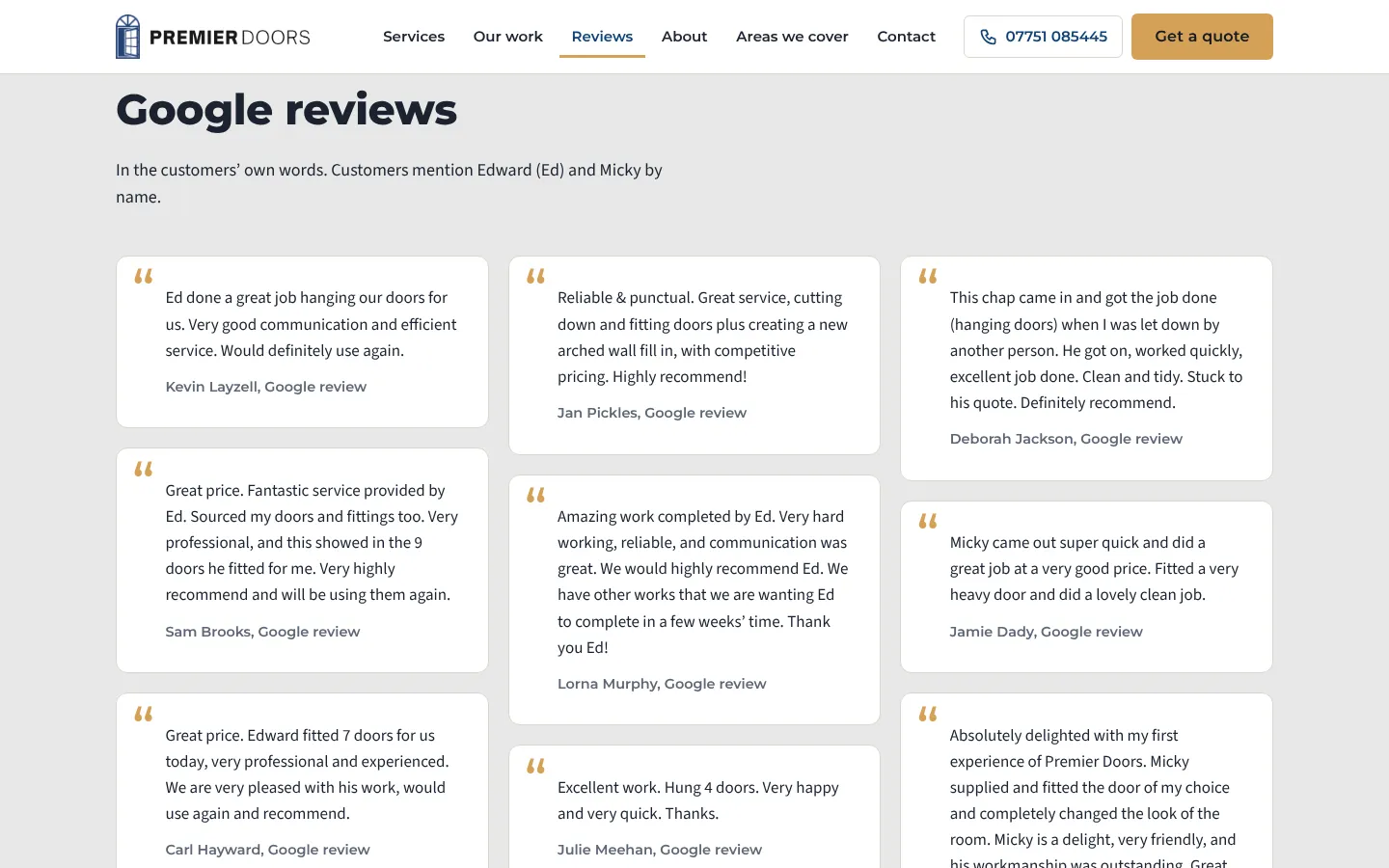
Quoted exactly as they were written on Google.
It also means showing the people behind the business. A real photo of you or your team, and a few honest lines about how you started, does more than any "we pride ourselves on quality" paragraph. Add the practical details people check for, such as insurance, qualifications and memberships, as long as they're accurate.
8. Built for phones, fast and easy to read
Most people looking for a local business find it on their phone, often in a hurry. A website that works on a laptop but is fiddly on a phone is losing customers you'll never hear about.
Good mobile design means:
- Text you can read without zooming in.
- Buttons big enough to tap with a thumb.
- Call and quote buttons that stay within reach as you scroll.
- Pages that load quickly, with images sized for the screen.
- No pop-ups covering what the visitor came to read.
Speed matters to Google as well as to visitors. Google measures how quickly pages load and respond, and calls these measurements Core Web Vitals. A lean, well-built site has a head start.
9. The behind-the-scenes basics
Some of the most important parts of good website design are ones visitors never notice:
- A clear title and description for every page, written for the person searching, so your listing in Google says exactly what the page offers.
- One main heading per page that matches what the page is about.
- Structured data, which tells Google in its own format that you're a local business, what you do and where. Google explains this in its guide to local business structured data.
- Descriptive image text (alt text), so people using screen readers know what each image shows.
- Links between related pages, so visitors and search engines can find their way around.
- A secure address (the padlock, or https), so browsers don't warn people away.
None of this guarantees a position on Google, and anyone who promises you the top spot isn't being straight with you. But it gives your business a sound footing, and it works best alongside an accurate Google Business Profile and genuine reviews.
A quick checklist: does your website show good design?
- Can a visitor tell what you do, where, and how to contact you in the first screen?
- Are the photos your own work, clearly labelled?
- Do you show prices, or explain what affects them?
- Does each main service have its own useful page?
- Can someone send an enquiry in under a minute on a phone?
- Do you have useful pages for the towns you really cover?
- Are your reviews real, quoted exactly, and easy to find?
- Is it quick and easy to use on a phone?
- Does every page have its own title and description?
If you answered no to more than two, your website is probably costing you enquiries. Our small business website checklist goes into more detail on each point.
Does good website design cost more?
Not necessarily. Good design comes from understanding the business and its customers, not from a bigger budget. Many expensive websites still miss the basics above, and a well-planned small site can beat them. If you're comparing options, our guide to what a small business website costs sets out what builders, freelancers, agencies and monthly plans really cost.
How long does it take to build a good website?
For most small businesses, the slow part is gathering the right information: your services, the areas you cover, your photos and your reviews. Once that's ready, a well-structured site can be built quickly. Some of the websites we build go live within a week of the business first getting in touch.
Should I use a website builder or a web designer?
A website builder can work if you have the time and know what good design looks like. The hard part isn't dragging blocks around, it's knowing what to say, in what order, and how to set up the pages so Google understands them. That's where a designer who knows local businesses earns their keep.
Website design in Norfolk, built for free
Every website in this article was designed and built by Webfreezee for a local business, and each one started with a free design. We build your real website first, you ask for any changes, and you only decide whether to go live once you've seen it. It's £20 a month once it's live, with hosting, the Portal and real human support included.
See more about website design in Norfolk, browse our work, or start your free website.
Read the full stories
We’ll design and build your website for free.
- £0 to design and build
- £20 a month only once it’s live
- No contract
More from the blog
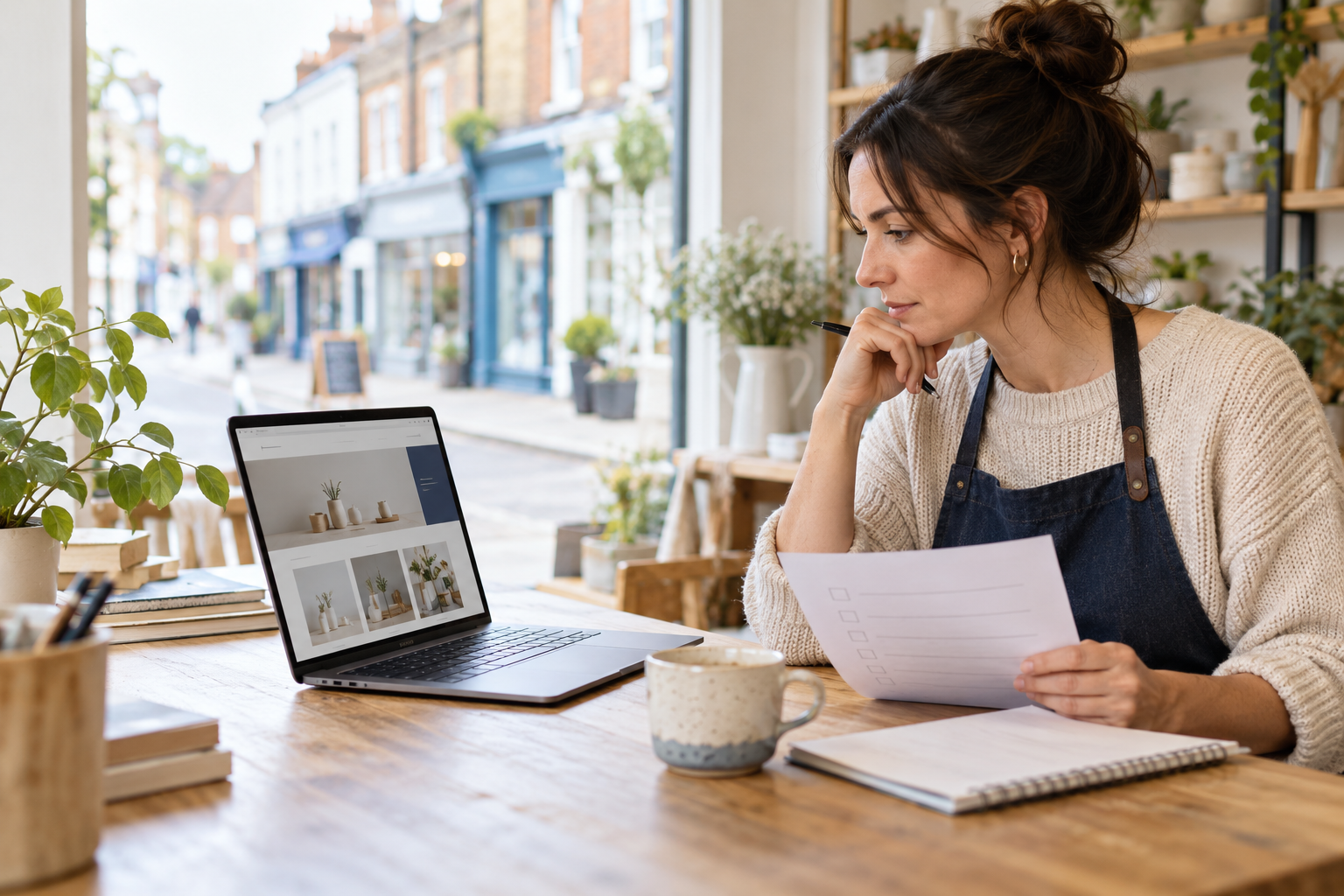
What Should a Small Business Website Include? A 2026 Checklist for Norfolk & Suffolk
If you run a small business, your website does not need dozens of pages or clever effects to do its job. It needs to help the right person quickly understand what you offer, where you work, why they can trust you and how to get in touch.
Read article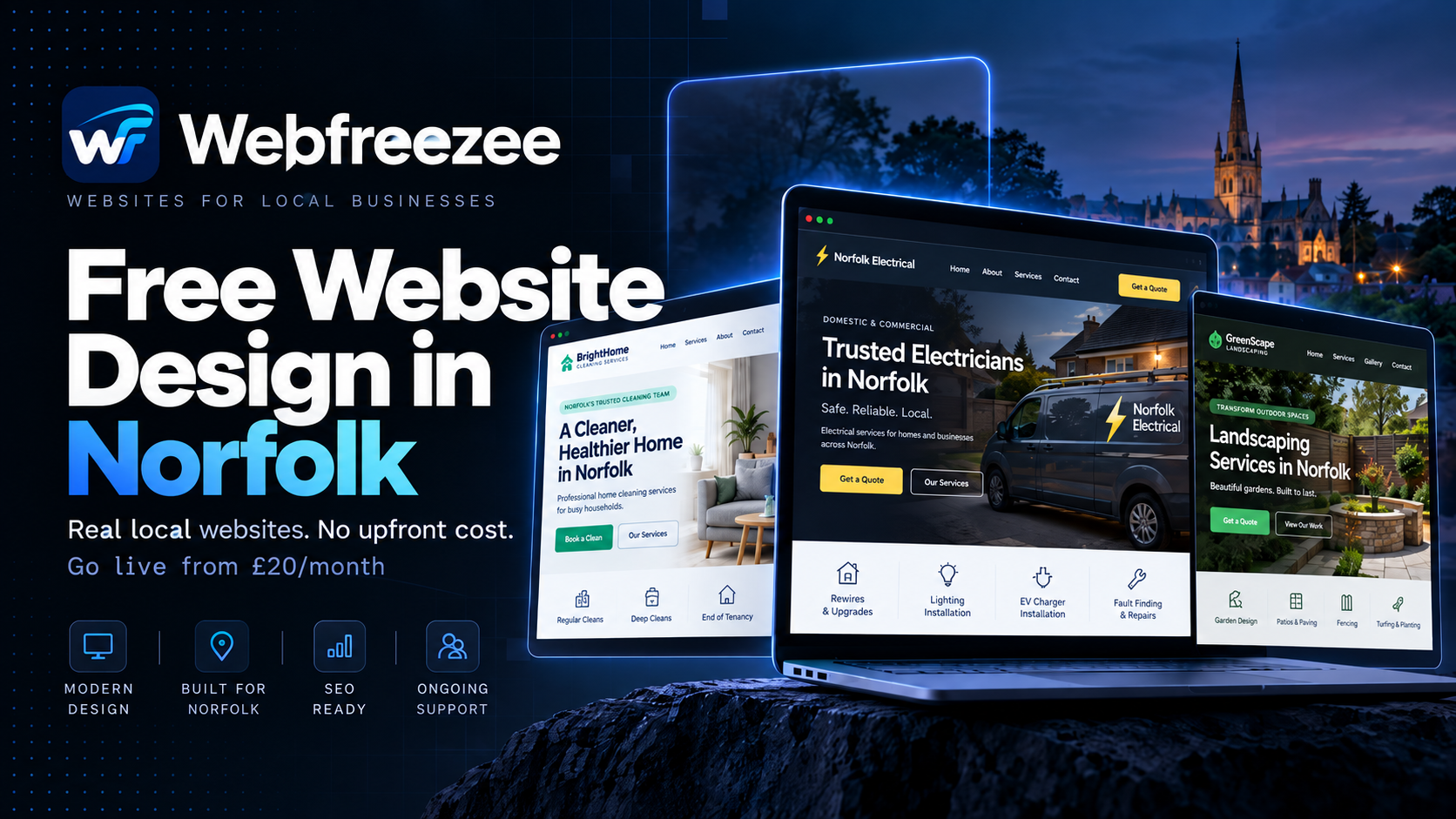
Free Website Design in Norfolk: Real Local Businesses, Real Websites, No Upfront Cost
Ready to Get Your Free Website Designed? If you've been putting off getting a website because of the cost, perhaps it's time to give it another look. We're already helping small businesses across Norfolk build a more professional online presence, without the traditional upfront design bill.
Read article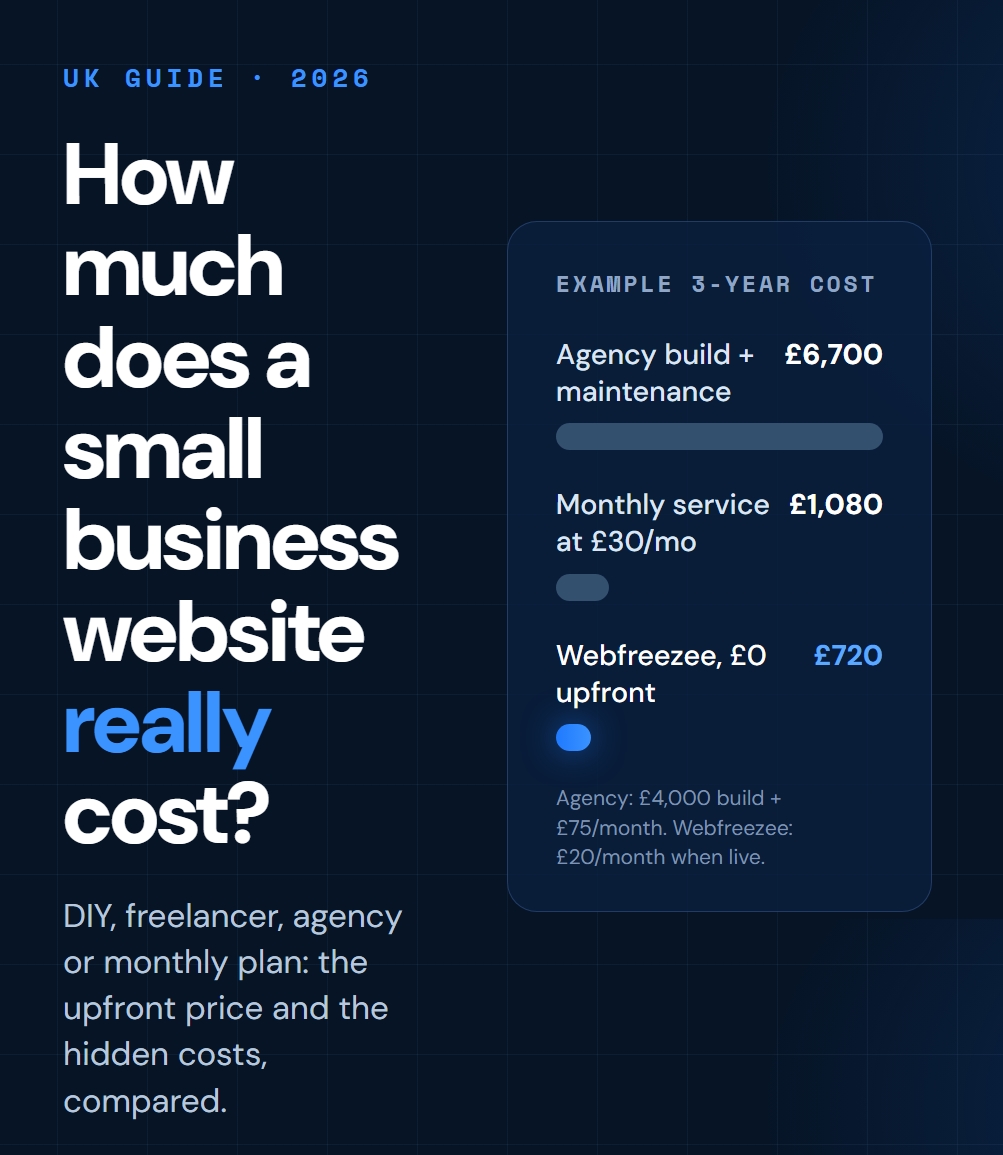
How Much Does a Small Business Website Cost in the UK? (2026 Guide)
What a small business website really costs in the UK in 2026 — DIY builders, freelancers, agencies and monthly plans compared, plus the hidden costs to budget for.
Read articleGet new advice in your inbox.
Useful website and small business tips, sent only when there’s something worth sharing.
Want to be the next launch story? It’s free to build.
We design and build your website for free. You only pay £20 a month once you’re happy and it’s live.
- No card details
- No obligation
- We send your first draft within 24 hours